Heft
The problem
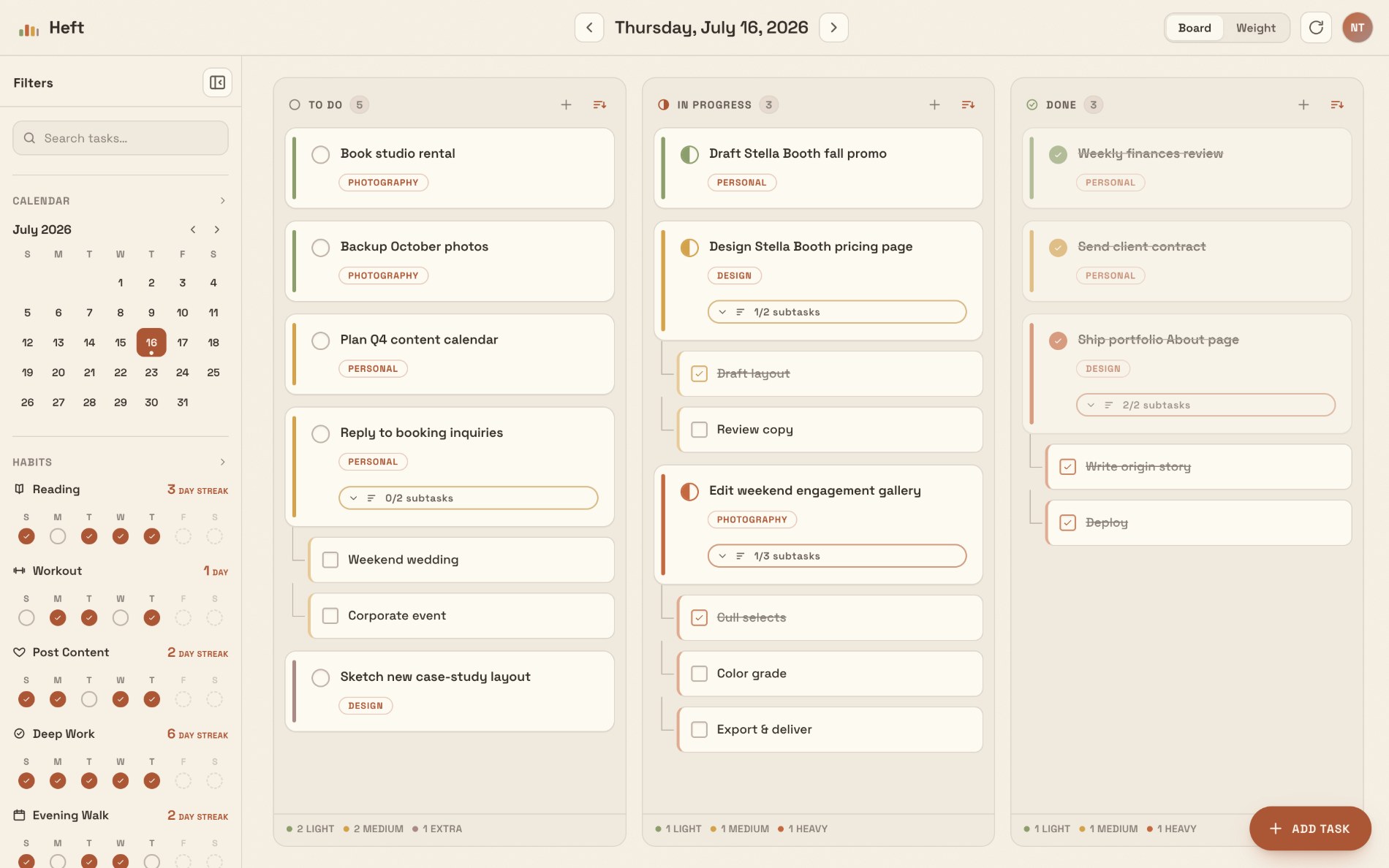
Notion could sort of do what I needed, but it was overkill for a daily list. Too much structure sat between me and the one thing I actually wanted, a clear view of today. What I wanted was a Kanban style to-do list where I could see the progress of my items and still stay focused on what I’m doing right now, the In Progress column.
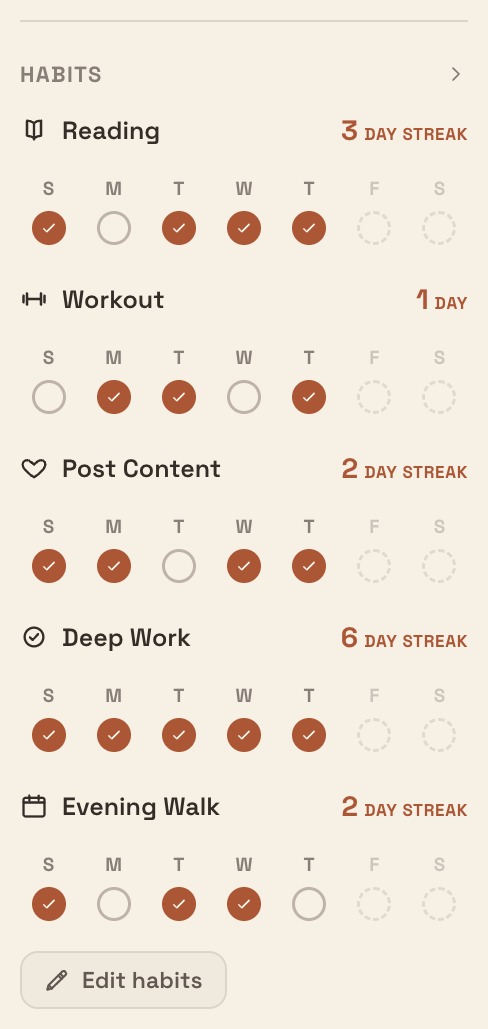
Two things I do every day shaped the brief. I track habits, so daily progress needed to stay visible and motivating. And on a long day, being able to narrow tasks down by weight or category is the difference between a list that calms me down and one that piles up.
There was a second reason, and I’ll be honest about it. I wanted a real shipped product in my portfolio. Designing screens is one thing. Building something I live inside every day, and shipping it, is the part that proves I can take an idea all the way to something that works.
My role
Solo, end to end. I owned the product and the design, then directed AI (Claude) to build it. I made the calls, held the output to a quality bar, and the AI executed. Vercel, Supabase, and Claude were all nearly first-time tools for me on this project, so this was also a deliberate exercise in learning to ship.
Process
I started from how I actually work, not from a feature list. The design goal throughout was subtraction. Every time I wanted to add something, I asked whether removing something would make it better instead. The win condition was never “more capable than Notion.” It was “the thing I open without thinking and close without friction.”
The build itself was AI-directed. I described the product and design decisions, Claude wrote the code, and I tested every build against real daily use. The iterations were mostly about adding features and fixing bugs I had assumed would just work, which is its own lesson in shipping. Because I was living in the app every day, feedback loops were immediate: if something annoyed me at 8 AM, it got fixed.
The honest stack: single-file React 18 with in-browser Babel, Supabase for storage and cross-device sync, a service worker for offline use, and a web manifest so it installs to the home screen.
What it does
Weight view
The feature I’m proudest of. I’m a strong believer in prioritization, especially when you have a lot going on. Weight lets me see not just what I have to do but how much I’m carrying, so I can tell what actually matters. It reads through color, because color is the fastest distinction for the human eye.
Kanban board
To Do, In Progress, Done. The In Progress column is the point. It keeps me on the current moment instead of the whole pile.
Habit tracker
Named habits with streaks and a weekly grid, so daily progress stays visible and motivating.
Sync across devices
It genuinely works. The same tasks and habits show up on my iPhone, iPad, and Mac.
See it work
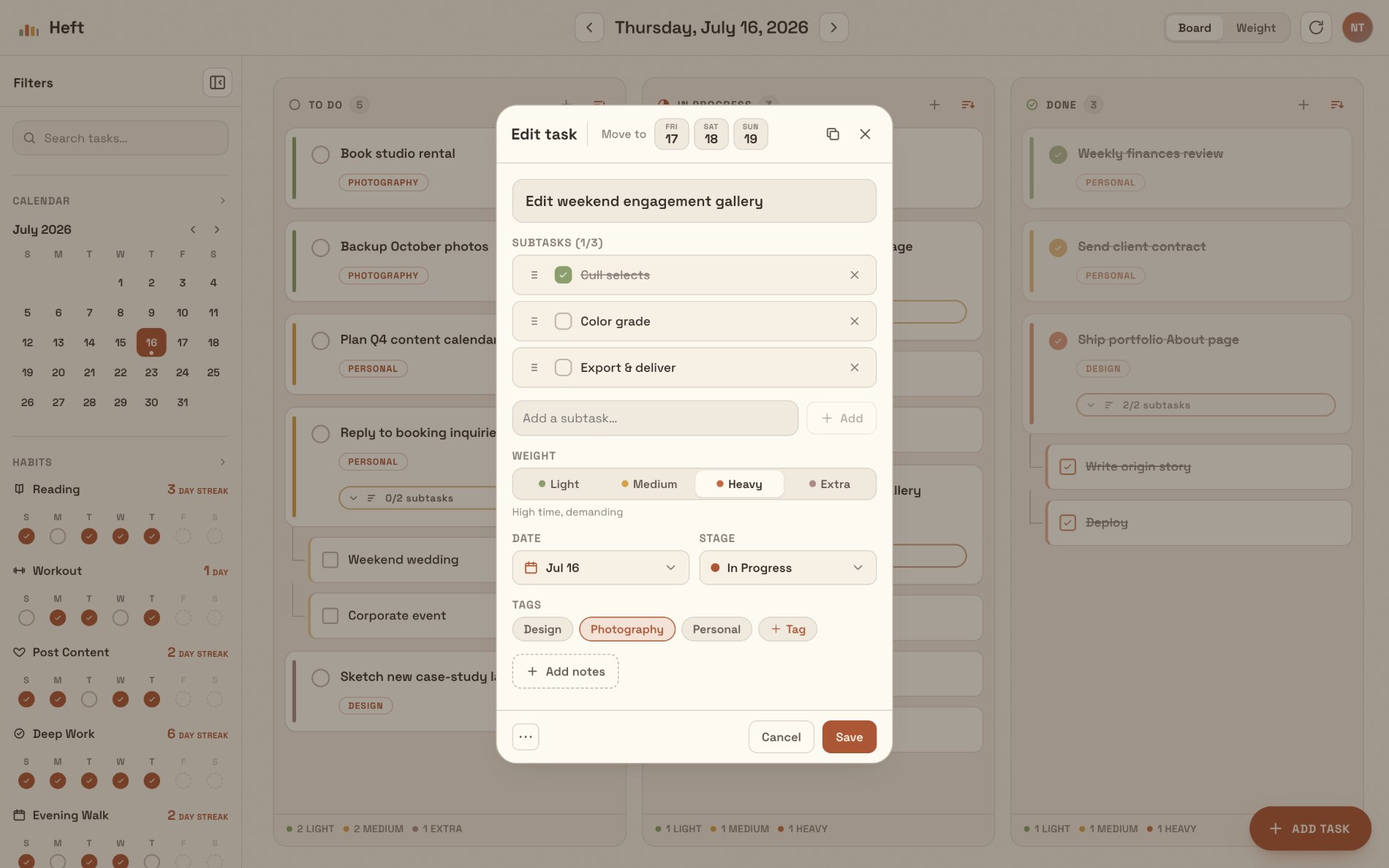
The real app, running with my own tasks and habits. Weight reads through color on every card, subtasks nest under a parent, habits track streaks across the week, and the whole thing bends to how I want to organize it without turning into Notion.


Weight, in color
Every card carries a Light, Medium, Heavy, or Extra weight, shown as a color so I can read how much I’m carrying at a glance.
Focus on In Progress
The middle column is the whole point: it keeps me on what I’m doing right now instead of the entire backlog.
Subtasks that nest
Bigger tasks break into checkable subtasks, so a card holds its smaller steps inside it.
Make it yours
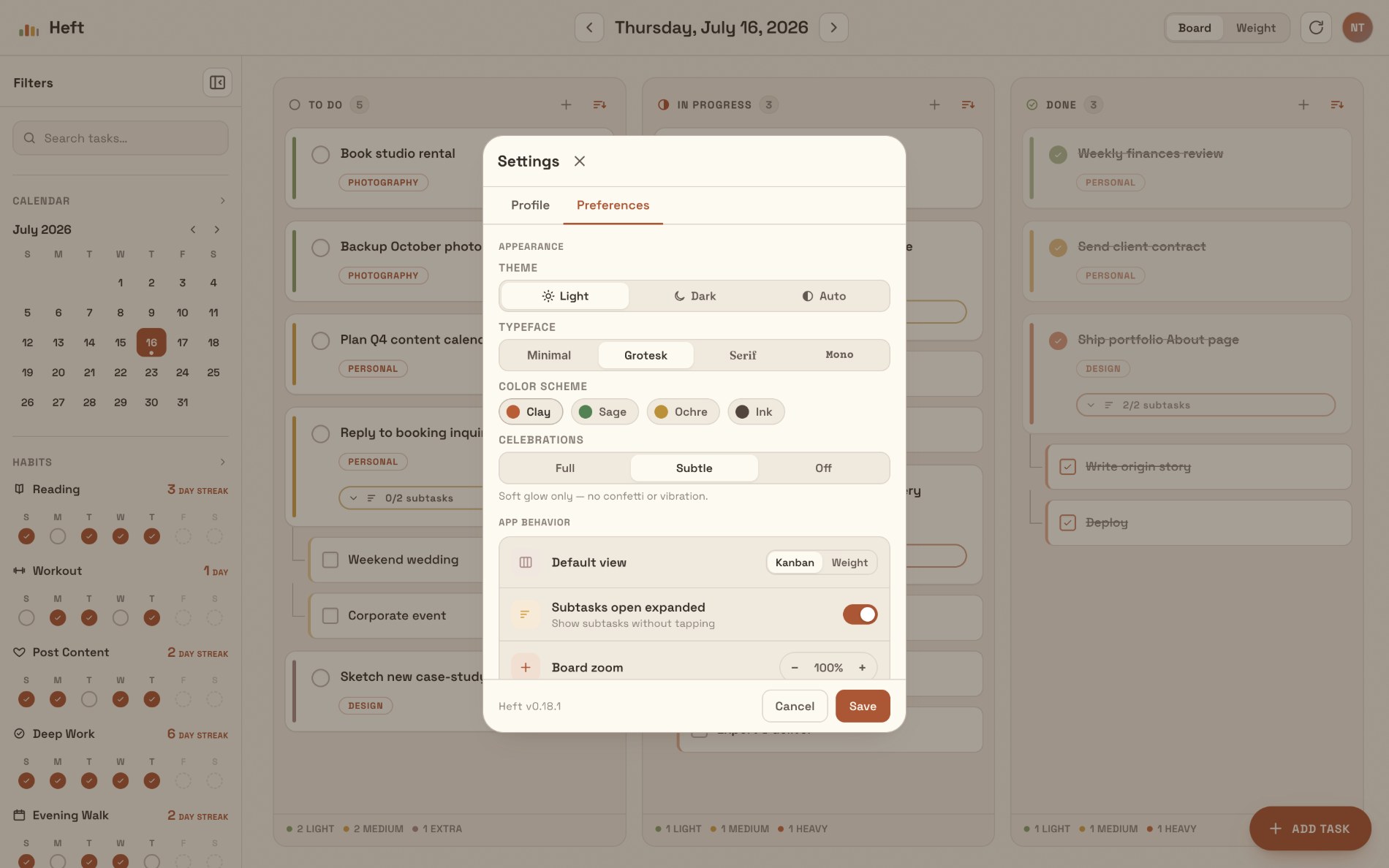
Themes, typefaces, color schemes, and a default view, so the app bends to how you work without the setup tax.
Key decisions
Customization without the complexity tax
The decision I’m proudest of is letting the list bend to how someone wants to organize it, by weight and category, without turning into Notion. Flexible, not heavy. The moment customization starts demanding setup, you’ve rebuilt the problem you left.
Calm over flashy, on purpose
I think it could be pushed further visually, and I’ve kept it calm and simple deliberately, because that is what makes it functional. The restraint is the product.
Built as a PWA, not native
An installable web app that runs fullscreen and works offline, so it feels native on my phone without me maintaining a native codebase. For a solo builder using the app across three devices, that is the right tradeoff.
Outcome
Heft is functionally complete and in daily use as my primary to-do app across iPhone, iPad, and Mac. It’s shared with friends and family as an installable web app. It replaced Notion for me, which was the whole point. The repo is public at github.com/nathantran21/Heft.
Working with Vercel, Supabase, and Claude for the first time taught me to think like someone who ships. Not just designing screens, but ideating, executing, and getting a real product out the door. And building something I use every day kept my motivation high in a way a concept never does.
What I’d do next
- Push the visual layer further now that the function is proven. The calm foundation is right; there’s room to add more character without adding friction.
- Collect real feedback from the friends and family using it, and let their usage, not my assumptions, drive the next round of changes.
- Revisit the App Store question once there’s demand beyond my circle. Publishing was never the goal for v1, but the door is open.